
Game values
A game value is a named value that is the same on every card and in every deck of the game: for example the game’s main colour, the thickness of the borders or the rounding of the corners. If you change it once, every card of the game changes with it. So you do not have to go through deck by deck, element by element, when you want to change a shared setting.
A game value’s type can be colour, number (millimetres, percent or no unit), text, long text, image, icon or texture.
Game values in the template
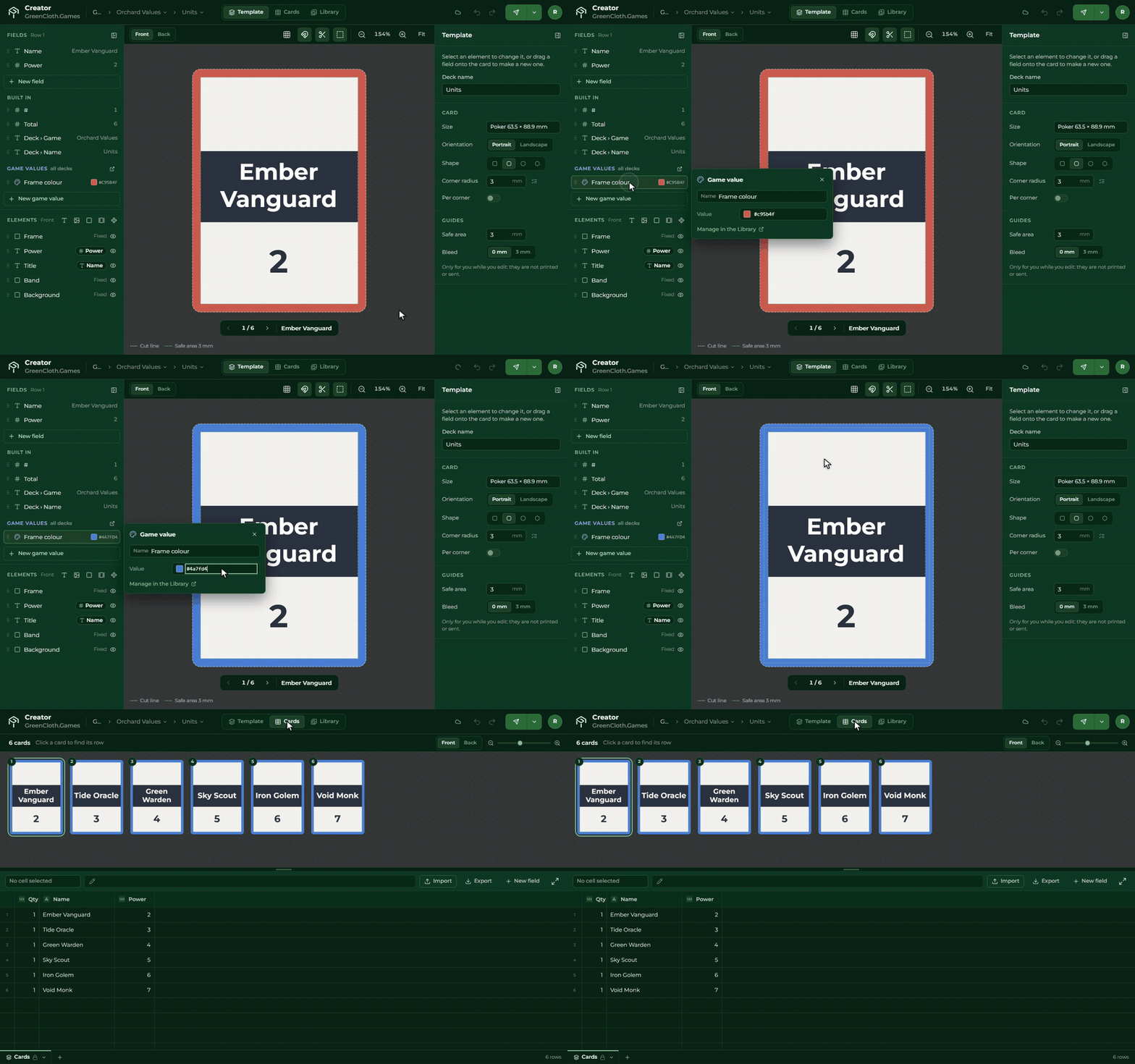
In the Template view, at the bottom of the Fields panel, in blue, is the Game values section. You bind a game value to an element or a setting just like a field: drag it onto it, or choose it with the From field switch next to the setting.
Click a row to change the game value in place; the + New game value button adds a new one.
Shortcut: if you want a game value from a setting’s current value (a 3 mm rounding, for example), the New game value from button in the From field picker makes it and binds it in one step.
The rounding of the card’s outline can be bound to a game value too, so every deck of the game can have the same corners.
The Game values tab
On the Game values tab of the Library all of the game’s values are in one list: the name, the type, the value, and where it is used. Click a row to edit it in the right panel, and you can also write a note for it.
A game value that is in use cannot be deleted. First unbind it where it is used, or bind another one there.
When you send to the Builder, only the cards on which the change of the game value shows are sent again.